
The run page
Each run reads as a record of one attempt: what every step set out to do, what it achieved, and the evidence behind it.
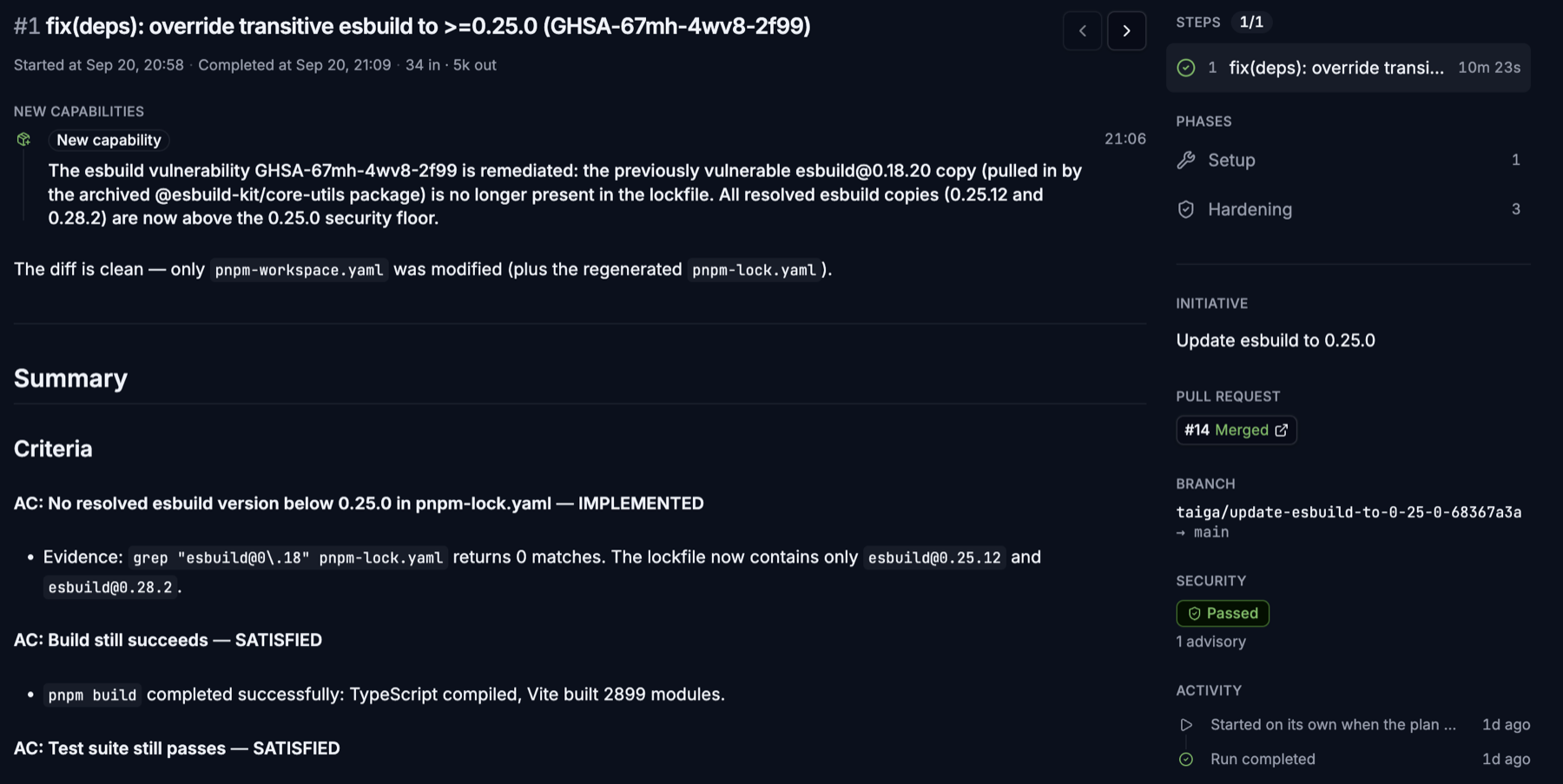
When an AI agent changes your product, the question afterwards is not only whether it worked, but what it did and why. A stream of technical output does not answer that for anyone outside engineering.
Each run now reads as the record of one attempt: every step, what it set out to do, what it achieved, and the evidence behind each acceptance criterion. The decisions the agent made along the way, and the assumptions it had to make where the brief was silent, are listed where you can review them.
Decisions about the work, stopping, resuming or starting over, are made on the initiative, where the work lives. The run page is for understanding what happened.
Every run is kept, failed and set-aside attempts included, and a run that started without anyone pressing a button says so. For a review, an audit or a post-mortem, the record is already there.
Every change, dated the day it shipped.
Dated the day they shipped, newest first.